 MoneyOS
Why should I track EMIs with my daily expenses?
Because an EMI is real spending, and leaving it out makes every other number look better than it is. If your monthly total skips a ₹12,500 car EMI, you will think you have ₹12,500 more to play with than you do.
Keeping EMIs somewhere else also hides how much of your salary is promised before the month starts, and how close each loan is to being done.
One thing to keep apart: SIPs. A SIP moves money into an investment you still own, so it is saving, not spending. An EMI pays a lender, so it is spending.
How do I track EMIs alongside daily expenses?
List every loan once, record each EMI as it is paid, and keep it all in the same place as your everyday spending. Five steps:
- List every loan and EMI. Home loan, car loan, education loan, a phone or appliance on EMI, a credit card EMI. For each, note the monthly EMI, the due day, and the total you still owe.
- Keep EMIs in the same place as daily spending. Use one app or one sheet for both, so your monthly total includes them.
- Record each EMI when it is paid. Log it on its due day, or as soon as it leaves your account, and tick it off for the month, so you never count one twice or miss one.
- Watch what is left. Subtract each EMI from the total you owe. Divide what is left by the EMI and you have the number of payments to go.
- Check your EMI load. Add up all your EMIs and compare the total with your take-home pay (see the next section).
A simple way to get the “total you still owe” right: multiply your EMI by the number of EMIs left on the loan. Your lender's statement or app shows how many are left, and this total already includes the interest.
How much of my salary should go to EMIs?
A common rule of thumb is to keep all EMIs together at or below about 35% of your take-home pay, with around 40% as the practical maximum. Lenders look at the same ratio when you apply for a new loan.
| Example | Per month |
|---|---|
| Take-home salary | ₹60,000 |
| Car loan EMI | ₹12,500 |
| Phone EMI | ₹2,500 |
| Total EMIs | ₹15,000 |
| Share of take-home pay | 25%, inside the comfortable range |
If you are close to 40%, it is worth pausing before taking on another EMI, even a small no-cost one. Small EMIs add up fast.
How do I track EMIs in MoneyOS?
Open Manage, choose EMI, and tap Add EMI or loan. Enter the monthly EMI, and optionally the total amount, a due day and an end date.
- Payoff progress. With a total amount, each loan shows how much is paid, a percentage, the months left and the month it should be done.
- Mark paid. Tap it when the EMI goes out. It turns to Paid for the rest of the month.
- Auto-add. Turn it on and MoneyOS records the EMI as an expense on its due day each month, under the EMI category.
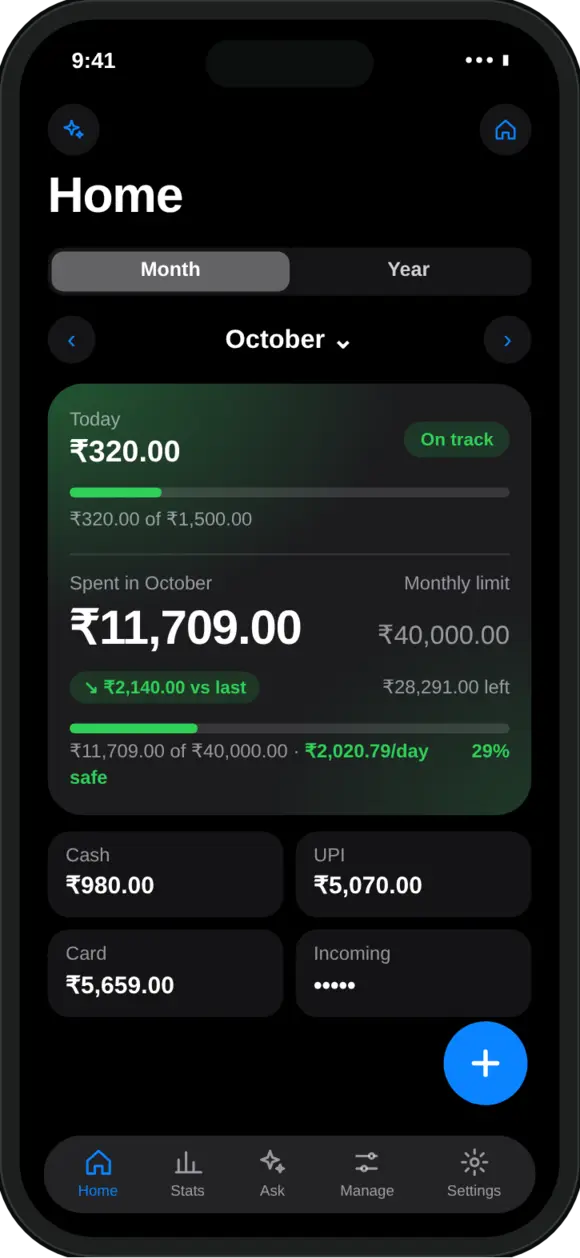
- Home. The EMI tile on Home shows what has gone to EMIs this month, and tapping it opens your loans.
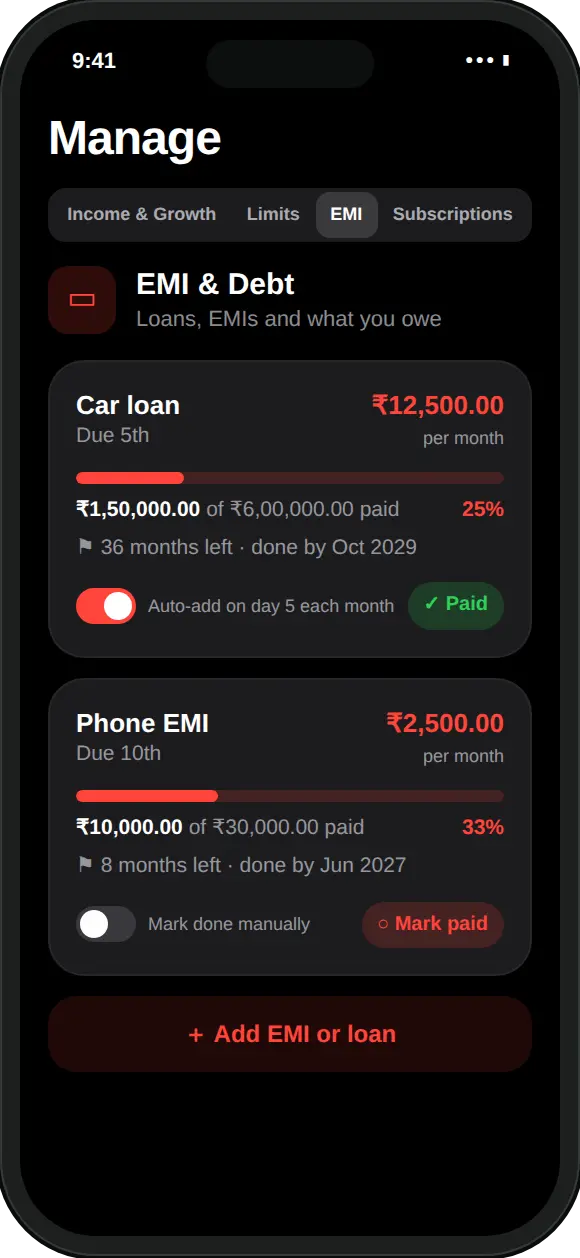
Payoff progress counts EMIs from the day you add the loan: paid so far is the EMI times the whole months since then. So for a loan that is already running, enter the amount still owed (EMI times EMIs left) as the total, not the original loan amount. MoneyOS does not calculate interest.
Already logged it another way? If you add an expense within 1% of an EMI's amount (₹500 or more), by typing, voice or an import, MoneyOS offers to mark that EMI as paid for the month. If the EMI is already paid, it warns you the new entry may be a duplicate instead. That works well if your EMI shows up in screenshots of your payment history or a bank statement.
Do EMIs count towards my monthly spending limit?
Yes. In MoneyOS, EMIs count as spending, so they show up in this month's total, your monthly limit and what is safe to spend per day. SIPs and other investments do not.
Two practical tips follow from that. First, include your EMIs when you set your monthly limit. Second, an EMI only counts once it is recorded, so until then your safe-to-spend figure does not know it is coming. Turning on Auto-add, or tapping Mark paid on the day, keeps the daily figure honest. For more on that number, read how to work out a safe daily spending limit from your salary.
To see your EMI load against your salary, open Planning on Home, then Salary allocator. Its EMI ceiling gauge compares your active EMIs with your take-home pay, using the 35% and 40% marks above. For a tour of the whole app, read our introduction to MoneyOS, and for how your data is handled, see our privacy policy.
Frequently asked questions
Should EMIs count as expenses?
Yes. An EMI is money that leaves your account every month, so it belongs in your monthly spending. That is different from a SIP, which moves money into an investment you still own. In MoneyOS, EMIs count as spending and SIPs do not.
How much EMI is safe on my salary?
A common rule of thumb is to keep all your EMIs together at or below about 35% of your take-home pay. Around 40% is usually treated as the practical maximum. MoneyOS shows your EMI load against these two marks in the Salary allocator.
How do I track how much of my loan is left?
Note the EMI amount and the total you still owe, then subtract each EMI as it is paid. In MoneyOS, enter the monthly EMI and a total amount, and each loan shows how much is paid, a percentage, the months left and the month it should finish.
Does MoneyOS calculate loan interest?
No. MoneyOS counts down by EMIs: it does not work out interest. For an exact countdown, enter the total as your EMI multiplied by the number of EMIs left, which already includes the interest your lender charges.
Can MoneyOS add my EMI automatically every month?
Yes. Turn on Auto-add for a loan and MoneyOS records the EMI as an expense on its due day each month, filed under the EMI category. Leave it off and tap Mark paid when the payment goes out instead.
Is MoneyOS free?
Yes. The whole app is free, with no subscription, no ads and no in-app purchases. There is no account and no bank login.