 MoneyOS
Is a SIP an expense?
No. A SIP moves money into an investment you still own, so it is saving, not spending. The money leaves your bank account, but it does not leave you.
Rent, groceries and an EMI are gone once you pay them. Your SIP is still there next month, in your mutual fund. If a budget treats both the same way, it gives you the wrong signal: the more you invest, the worse your month looks.
That does not mean you should ignore SIPs. They are a big, regular outflow, and you want to see them in the same place as everything else that leaves your salary. The trick is to track them next to your expenses, but as their own thing.
How do I track SIPs and expenses together?
Give investments their own type, take them out of your pay first, and set your spending limit on what is left. Five steps:
- Separate investing from spending. SIPs, recurring deposits, gold savings and other investments get their own type, not the same label as food or shopping.
- Take investments out first. Subtract your planned SIPs from your take-home pay before you decide how much you can spend. Pay yourself first.
- Set your spending limit on what is left. The limit covers needs and wants only, so a bigger SIP never looks like overspending.
- Record each SIP when it goes out. Log it on its date, or as soon as it leaves your account, so the month shows what you actually invested.
- Check your savings rate each month. Income minus spending, divided by income. Investments count as saved.
What difference does it make?
On a ₹60,000 salary with ₹7,000 in SIPs, counting the SIPs as spending makes you look like you spent ₹45,000. You really spent ₹38,000 and saved over a third.
| Example month | Amount |
|---|---|
| Take-home salary | ₹60,000 |
| Needs and wants (rent, EMI, food, travel, shopping) | ₹38,000 |
| Index fund SIP | ₹5,000 |
| Gold savings | ₹2,000 |
| Spending if SIPs are counted as expenses | ₹45,000 |
| Real spending | ₹38,000 |
| Savings rate (₹22,000 ÷ ₹60,000) | about 37% |
The ₹22,000 that was not spent includes the ₹7,000 invested and ₹15,000 left in the bank. A common starting point for how much to save is the 50/30/20 split: roughly half for needs, 30% for wants and 20% for savings and investments. Treat it as a place to start, not a rule.
How do I track SIPs in MoneyOS?
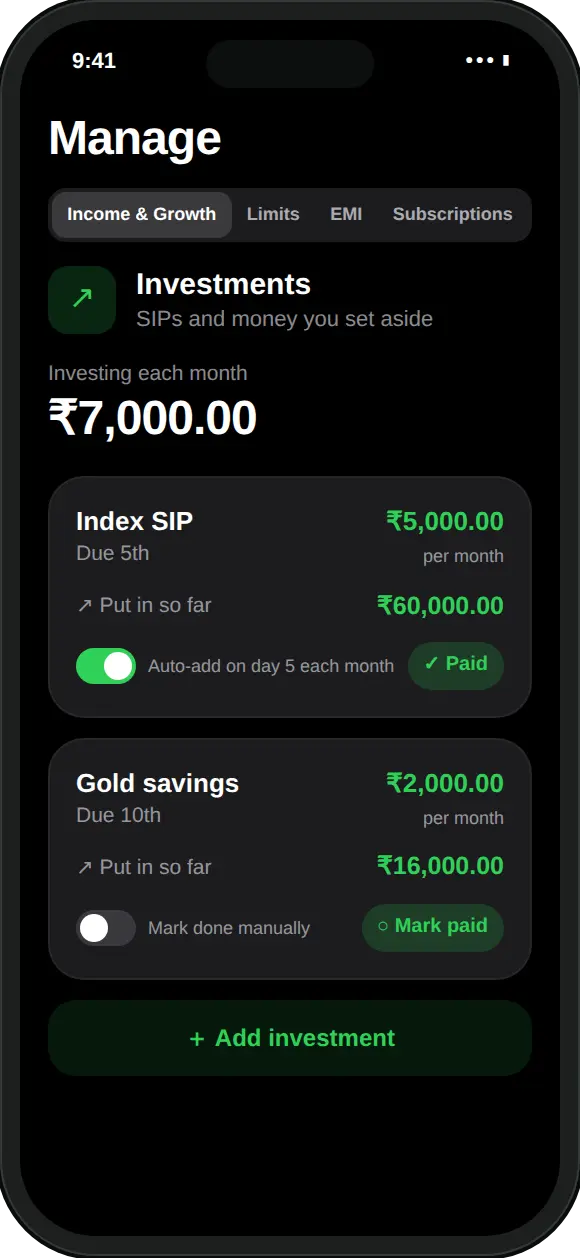
Add your SIP under Manage, then Income and Growth, or pick Investment as the type when you log a payment. Either way it is kept out of your spending.
- Investments. Tap Add investment, enter the monthly contribution, and optionally a due day and an end date. You can pick Investments, Savings, Gold or Silver.
- Mark paid or Auto-add. Tap Mark paid when the SIP goes out, or turn on Auto-add to record it on its due day each month.
- Put in so far. Each SIP shows an estimate of how much you have put in: the monthly amount times the whole months since you added it.
- Investment type. When you add a payment by hand, choose Investment instead of Expense.
Imported it from a screenshot or statement? Payments to well-known brokers and mutual fund registrars are tagged as investments automatically. When you add a payment by hand, a name with “SIP” or “mutual” in it gets the investment tag suggested. And if an amount is within 1% of one of your SIPs (₹500 or more), MoneyOS offers to mark that SIP as paid for the month, so it is not counted twice. See how to import UPI payments with screenshots.
What changes when SIPs are kept out of spending?
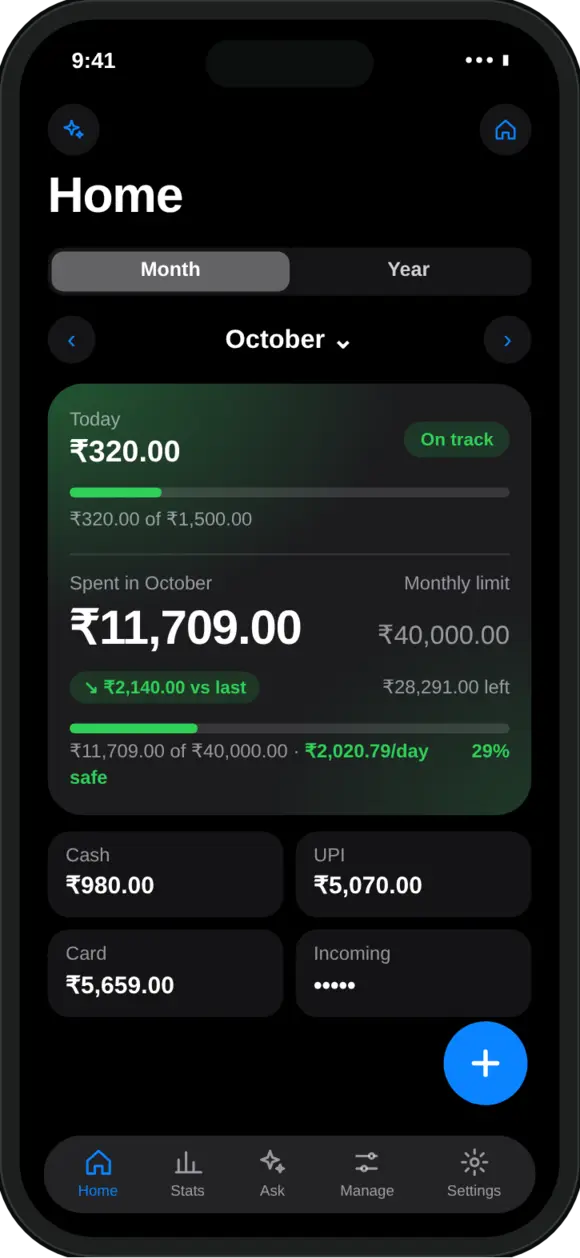
Your spending numbers show only what you spent. In MoneyOS, investments are left out of this month's spending, your monthly limit, what is safe to spend per day and your monthly limit alerts.
- Home. The Invested tile shows what went into investments this month, and tapping it opens your SIPs.
- Lock Screen and widgets. The budget percentage on the Live Activity and widgets leaves investments out too.
- Stats. Your savings rate counts SIPs as saved, and the year view shows an investment rate next to it.
- Salary allocator. On Home, open Planning, then Salary allocator. Its Investing row compares your recent investments with your savings target.
EMIs work the other way: they are spending, because the money goes to a lender. Read how to track EMIs alongside your daily expenses, and how to work out a safe daily spending limit from your salary. For a tour of the whole app, see our introduction to MoneyOS, and for how your data is handled, our privacy policy.
Frequently asked questions
Is a SIP an expense?
No. A SIP moves money from your bank account into an investment you still own, so it is saving, not spending. It still leaves your account each month, which is why it is worth tracking next to your expenses.
Should I include my SIP in my monthly budget?
Plan for it, but keep it out of your spending limit. Take the SIP out of your take-home pay first, then set the spending limit on what is left. That way investing more never shows up as overspending.
How do I track SIPs and expenses in one app?
Log investments as their own type rather than as ordinary expenses. In MoneyOS, pick Investment when you add an entry, or add the SIP under Manage, then Income and Growth, and it is kept out of your spending totals.
Does MoneyOS count SIPs in my monthly limit?
No. SIPs and other investments are left out of this month's spending, your monthly limit, what is safe to spend per day and your monthly limit alerts. Stats counts them as saved.
What is a savings rate?
It is the share of your income you did not spend. Take income minus spending and divide by income. Money you put into SIPs counts as saved, because it was not spent.
Is MoneyOS free?
Yes. The whole app is free, with no subscription, no ads and no in-app purchases. There is no account and no bank login.